Node REPL

Software engineer, aiming to design and develop experiences that make people’s lives simple
REPL (Read Evaluate Print Loop) is a programming language environment that takes single expression as user input and returns the result back to the console. REPL is just like the IDLE for Python.
- Read -It reads the user’s input and parses it into JavaScript data structure and stores it into memory.
- Evaluate -it evaluates the JavaScript data structure.
- Print -It prints the result of the evaluated data structure.
- Loop -Loops the command until the user exits.
To enter the RELP terminal, you use the node command.
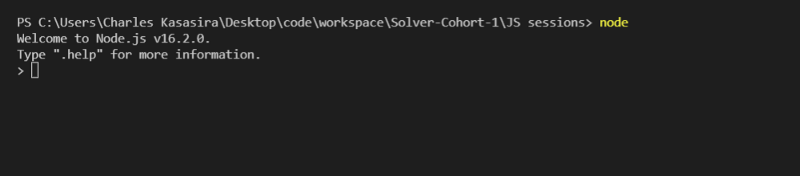
As the console is just like the browser’s console, you can test anything on it. e.g, if you write 1+ 2 it will display the addition of 1 and 2 i.e. 3 in the new line
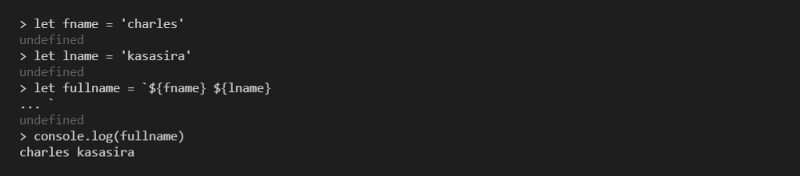
Exploring JavaScript objects
Enter the name of a JavaScript class, like Number, add a dot and press tab.The REPL will print all the properties and methods you can access on that class

You can inspect the globals you have access to by typing global. and pressing tab
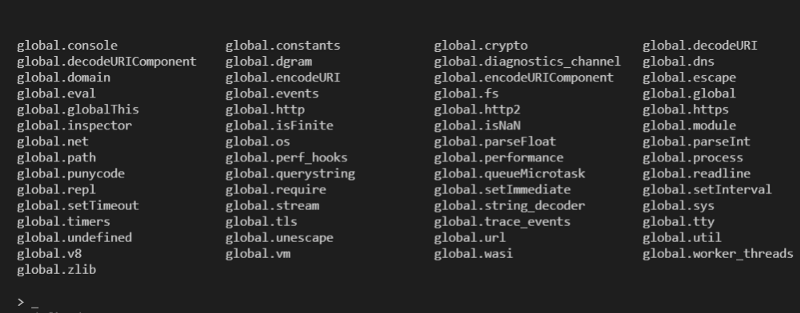
The _ special variable
If after some code you type _, that is going to print the result of the last operation.
Dot commands
The REPL has some special commands, all starting with a dot .
.help: shows the dot commands help.editor: enables editor mode, to write multi-line code. Once you are in this mode, enterCtrl+Dto run the code you wrote.

.break: when inputting a multi-line expression, entering the.breakcommand will abort further input. Same as pressingCtrl+C..clear: resets the REPL context to an empty object and clears any multi-line expression currently being input..load: loads a JavaScript file, relative to the current working directory.save: saves all you entered in the REPL session to a file (specify the filename)
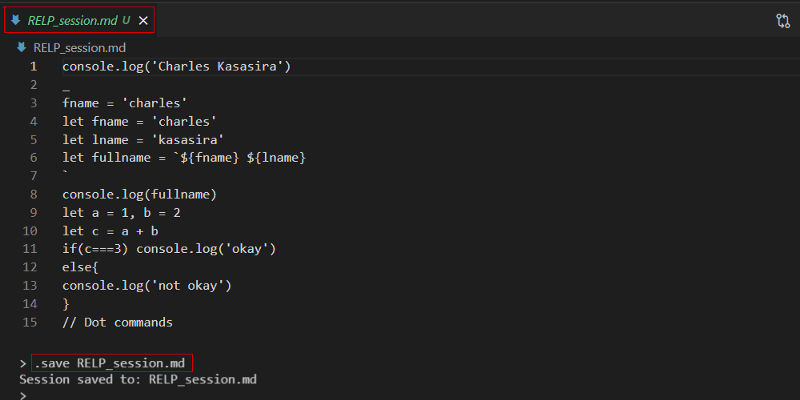
.exit: exits the REPL or you can pressCtrl+Ctwice



